
Been moving some sites to WordPress, and one plugin I could not find a satisfactory result for was one to display or feature the contents of a page. I was also looking for excuses to write about development more often or just about anything. I have not done much with Codefisher.org recently and would like to change that. Tutorials out there for creating widgets were not good quality (or possibly outdated), so I figured good opportunity to do something. Create a tutorial on how to make a widget out of the first simple version of such a plugin and then go on to develop it more fully. You could take this as the tutorial I would have liked to have existed to get myself to get things started.
Getting Started
I will assume that someone following this has basic knowledge of PHP and coding and knows enough about creating the files needed to get a plugin for WordPress going.
So, create a folder for your plugin in the WordPress plugins directory and then create a PHP file. I called mine feature-page-widget.php. Change yours to whatever describes what you are doing.
So let us put the basic code we need in. This code will be our widget class, and some code to get it loaded in.
<?php
/**
* Plugin Name: Feature a Single Page Widget
* Plugin URI: https://codefisher.org/wp-plugins/feature-pages-widget/
* Description: Makes a widget that can feature a page.
* Version: 0.1
* Author: Codefisher
* Author URI: https://codefisher.org/wp-plugins/feature-pages-widget/
* License: GPL2
**/

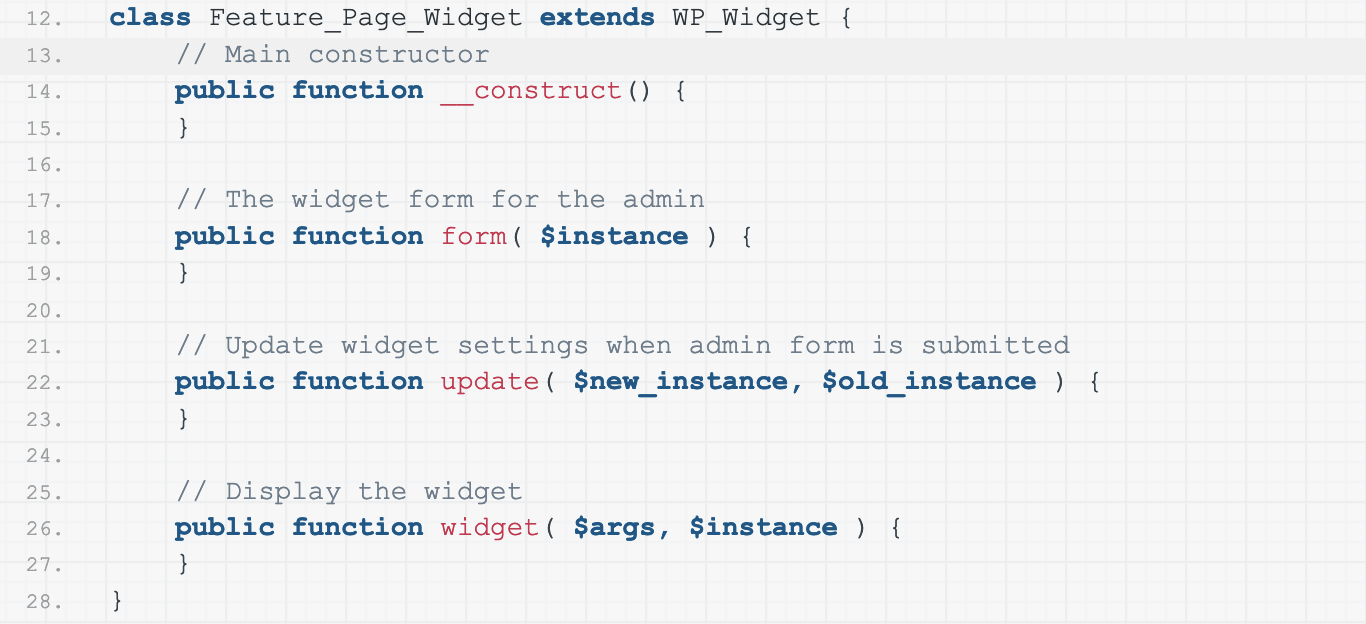
class Feature_Page_Widget extends WP_Widget {
    // Main constructor
    public function __construct() {
    }

    // The widget form for the admin
    public function form( $instance ) {
    }

    // Update widget settings when admin form is submitted
    public function update( $new_instance, $old_instance ) {
    }

    // Display the widget
    public function widget( $args, $instance ) {
    }
}

// Register the widget
function register_feature_page_widget() {
    register_widget('Feature_Page_Widget');
}
add_action('widgets_init', 'register_feature_page_widget');

?>
So obviously, here you want to change the opening comment from my information to yours and probably rename both the class and function. After saving this to a file, you will have a WordPress plugin. If this is your first time, congratulations. Great job!
It will not do anything yet, but we can go to our WordPress site (hopefully one that is only a development environment, not your live site!) and check the plugins in the admin, it should now show, and it can be activated.
Though we registered a widget, it will not have caused anything to happen. For that, we must fill in the class’s four methods. They are the following.
- Constructor to initiate the widget
- The
form() function to create the widget form in the WordPress administration - The
update()function to save the widget date when the form is submitted - The
widget()function to display the widget on the front end of your site.
The Constructor
So the first thing we need to do is set up the constructor, so it will give some basic information that describes the widget. This information is going to appear anywhere that WordPress lists the available widgets. After you save this and a non-functional widget will appear in the admin.
    // Main constructor
    public function __construct() {
        parent::__construct(
            'fspw_widget', // Base ID
            esc_html__( 'Feature a Single Page Widget', 'feature-page-widget' ), // Name
            array(
                'description' => esc_html__( 'A widget to feature a single page.', 'feature-page-widget' ),
                'customize_selective_refresh' => true,
            )
        );
    }
The form function
So next is to set up a form for the admin for the data to be put in. Here we will keep this super simple and use two text inputs for a title and page ID. It might be nicer (if the site is not too big) to have a dropdown to select the page, but here we will go for raw and simple deliberately.
    // The widget form for the admin
    public function form( $instance ) {
        // Some default values for the widget options
        $defaults = array(
            'title' => '',
            'featured_page_id' => '',
        );

        // any options not set get the default
        $instance = wp_parse_args( $instance, $defaults );

        // widget admin form begins
        ?>

        <p class="fspw-widget-title">
            <label for="<?php echo $this->get_field_id( 'title' ); ?>">
                <?php _e( 'Title:', 'feature-page-widget' ); ?>
            </label>
            <input type="text" class="widefat" id="<?php echo $this->get_field_id( 'title' ); ?>" name="<?php echo $this->get_field_name('title'); ?>" value="<?php echo $instance['title']; ?>" />
        </p>

        <p class="fspw-widget-featured-page-id">
            <label for="<?php echo $this->get_field_id( 'title' ); ?>">
                <?php _e( 'Page ID:', 'feature-page-widget' ); ?>
            </label>
            <input type="text" class="widefat" id="<?php echo $this->get_field_id( 'featured_page_id' ); ?>" name="<?php echo $this->get_field_name('featured_page_id'); ?>" value="<?php echo $instance['featured_page_id']; ?>" />
        </p>

        <?php
    }
Save this, and the widget will now give us a form. So basically, we set up some default values for our form. Here they are empty strings, but for a checkbox, we would use true or false, for example. We then use that to fill in anything missing from the current instance given to the function. Finally, we spit out some HTML to display the form. Submitting the form, though, does nothing, and the values will be lost. So we need to handle updating the values.
The update function
So the update function will handle receiving the data and, very importantly, sanitizing it. Luckily for us, WordPress makes this maybe the most straightforward part of what we are doing. So the following code is that that is going to be needed here.
    // Update widget settings when admin form is submitted
    public function update( $new_instance, $old_instance ) {
        // update old options with the new ones
        $instance = wp_parse_args( $new_instance, $old_instance );

        /* sanitise the data */

        // Plain Text
        $instance['title'] = sanitize_text_field( $instance['title'] );

        if( !intval( $instance['featured_page_id'] ) ) {
            $instance['featured_page_id'] = '';
        }

        return $instance;
    }
That will get our widget into the database and saved. Now we have to make the form appear on the front end where it has been placed. So there is one last function that we must complete to do that.
The widget function
Here what we are going to do is again load some default, check if we have a page ID to go looking for, then check if that page actually exists, and then display our title and the excerpt.
    // Display the widget
    public function widget( $args, $instance ) {

        // Some default values for the widget options
        $defaults = array(
            'title' => '',
            'featured_page_id' => '',
        );

        // any options not set get the default
        $instance = wp_parse_args( $instance, $defaults );

        // if there's no featured post ID, we can stop now.
        if( !$instance['featured_page_id'] ) {
            return;
        }

        // get post, end if there is it does not exist
        $featured_page = get_post( $instance['featured_page_id'] );
        if( $featured_page == null) {
            return;
        }

        // apply widget_title filter if there's a title
        $title = apply_filters( 'widget_title', empty($instance['title']) ? $featured_page->post_title :  $instance['title'], $instance, $this->id_base );
        echo "<h2>" . $title . '</h2>';

        // apply the_excerpt filter
        $excerpt = apply_filters( 'the_excerpt', $featured_page->post_excerpt );
        echo $excerpt;
    }
And that is it. We got a working widget that is putting out the excerpt for a page. But, of course, we can go much further with this particular widget. I plan to develop it into something much more full-featured and will post back here once that is done. But it shows how you can start a widget that does something simple.
I will update this post when I release the completed plugin.